Communication and interaction
Take turns making a sound, choose an instrument together or respond to each other’s musical ideas.
Home learning · SEND Zone
Your child might love keeping the beat but prefer to listen when the singing starts. The SEND Zone helps you find an activity that makes space for the way they want to take part today.
Explore ideas for communication, attention, movement and choice alongside the same music schemes and Content Bank used in primary schools.
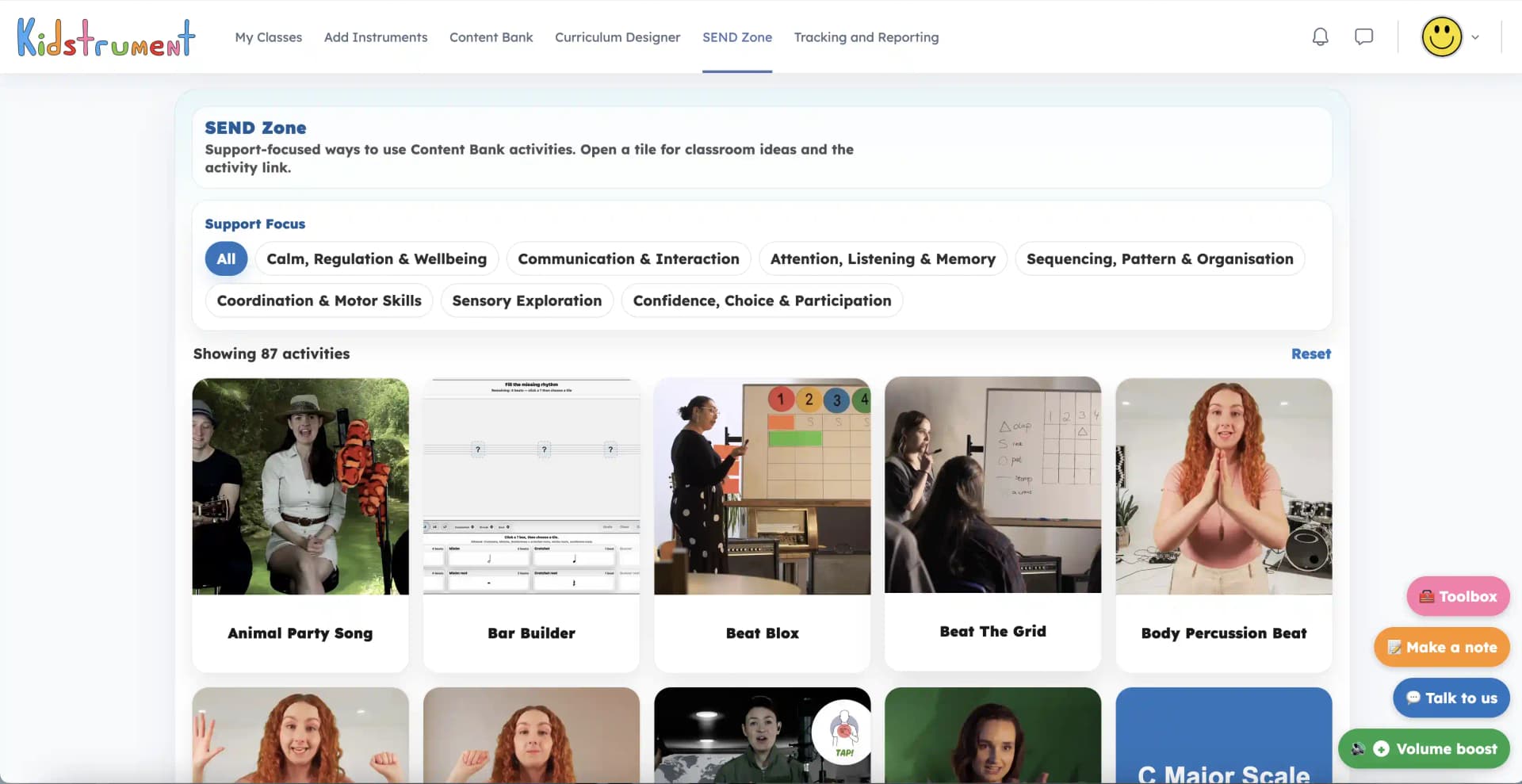
Choosing a support focus
Choose a focus such as turn-taking, listening or movement. The SEND Zone shows activities that offer that kind of opportunity and explains how you might use them.
Start with something your child enjoys. You might offer two sounds to choose from, copy their tap or listen to a short piece together.
Take turns making a sound, choose an instrument together or respond to each other’s musical ideas.
Listen for a familiar sound. Try a short call-and-response pattern and give your child time to echo it.
Explore quiet listening, drawing to music or a familiar song to mark a change between activities.
Try a gesture, a tap or a whole-body movement. Choose a way of marking the beat that feels comfortable for your child.
Repeat a two-step pattern and let your child show you which sound or movement comes next.
Offer a choice between singing, moving, playing a sound or watching you take the first turn.
Inside the SEND Zone
Open a support focus, then choose a tile. You can read what happens in the activity, why it appears under that focus and ways you might introduce it.
The activity opens from the same place. Pick one suggestion to try, notice your child’s response and change the pace or the task as you go.
Alongside the schemes
If your child likes the music in a lesson but finds a particular task difficult, open the SEND Zone to look for a different way to work with the same idea.
For a clapping task, you might tap a cushion instead, listen to the whole pattern first or let your child invent a pattern for you to copy.
A musical answer could be a gesture, a sound, a drawing or a movement. Let your child choose one.
Read a support idea before you begin. Try one short section and stop at a point your child recognises.
Swap roles so your child has a turn leading. You can repeat a favourite part as often as they want.
Your membership
Your Home learning account includes the SEND Zone, the schemes, the Content Bank and the teaching notes. You can move between them as your child’s interests and needs change.
These are practical suggestions for making music together. When your child has an individual support plan, choose ideas that fit the advice you already follow.
Monthly and annual memberships both give your family access to the SEND Zone.
Explore support ideas for the same games, listening tasks and songs you can open in the activity library.
Come back to an activity your child enjoyed or try another choice under the same support focus.
Quick answers
Yes. The SEND Zone is part of your family’s membership alongside the schemes of work, Content Bank and activity notes.
Choose a focus that fits the moment, open a tile and read the suggestions. You know what your child enjoys and any advice that supports them. Adjust the way you take part together.
No. You choose activities by what you want to explore, such as taking turns, listening for a sound or following a pattern.
Yes. Keep your scheme as the main sequence, then use the SEND Zone to find an alternative, repeat a favourite activity or offer a different way to join in.
Start a 14-day home trial with a card and try the support ideas alongside your family’s music lessons.
Explore examples