Capture an observation
Add a concise note about what a class, group or pupil could do when the context is worth keeping.

Assessment and Notes
Kidstrument brings optional teacher observations together with activity completion and mapped learning outcomes, so assessment stays close to the music pupils actually make.
Teachers can capture a useful next step when it adds value, while subject leaders keep a clearer view of coverage and progress across classes.
Classroom evidence
Strong music evidence is practical: pupils singing, keeping a pulse, listening closely, reading a rhythm, composing or performing together. Kidstrument keeps that teaching context visible instead of asking staff to create a separate evidence system.
Completion and outcome information builds through the route teachers already use. A short observation can then add the detail that data alone cannot show.
Teacher workflow
Add a concise note about what a class, group or pupil could do when the context is worth keeping.
Record a skill to revisit, an adaptation that worked or an appropriate stretch task for next time.
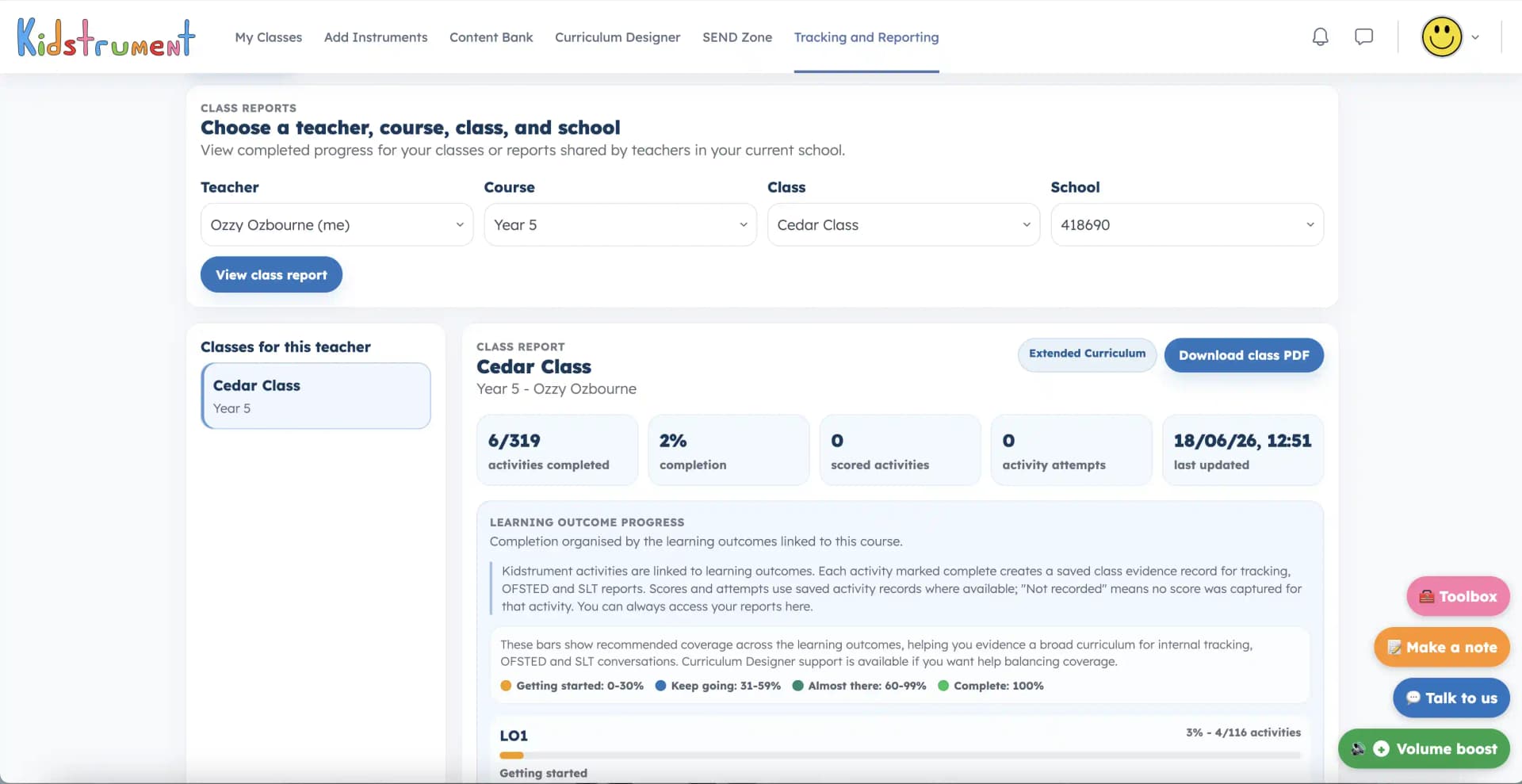
Use activity completion and learning outcome progress to see where the planned route is secure or needs attention.
Bring curriculum coverage and classroom observations into subject-leader, handover and development discussions.
A proportionate approach
A worksheet or written comment can support assessment, but it should not replace hearing pupils sing, play, compose and respond. Use the smallest amount of recording that helps the next lesson or the wider curriculum conversation.
Professional, focused notes are easier to use at handover and easier to review than a large collection of disconnected comments.
Notice the musical skill pupils demonstrate during the activity.
Relate the observation to the planned activity and mapped outcome.
Choose whether to move on, revisit, support or extend the learning.
Record only the focused, professional detail the school genuinely needs.
Quick answers
No. Notes are optional and should be used when an observation will help with a next step, handover or wider evidence conversation.
Class reports bring activity completion, attempts and mapped learning outcome progress together, with optional teacher observations adding context.
Yes. Reporting links evidence back to the route and activities teachers are using, helping leaders discuss coverage and progression in context.
Explore tracking and reportingTry a class route, review its mapped outcomes and see how progress becomes visible for leaders.